Reddy Anna
Deposit
Guide
Everything about the Reddy Anna deposit process in one place. How to deposit on Reddy Anna step by step, which UPI apps work, how fast your wallet updates, why deposits sometimes delay, and every common problem with its fix. Written simply — no confusing instructions.
Login to Reddyanna
Open bookmarked URL → enter ID + password
Go to Wallet → Deposit
Tap Wallet in menu → tap Deposit button
UPI QR appears on screen
Only scan this QR — inside platform only
Scan with GPay or PhonePe
Enter amount (min Rs.100) → confirm payment
Wallet updates in seconds
Refresh wallet if not shown after 60 seconds
Understanding the Reddyanna Deposit System — Read This First
If you are doing your first Reddy Anna deposit, there is one thing to understand before you even open GPay. The deposit QR code only appears inside the platform — after you log in and go to the Wallet section. It does not exist before login. It is not shared over WhatsApp. It is not posted on any external page or Telegram channel. The moment someone sends you a QR code or a UPI number outside the logged-in Reddyanna platform and says "deposit here" — that is a scam, and your money will not reach your wallet.
This single rule protects you from almost every fake deposit scam running on the Reddy Anna name. The official Reddyanna deposit process is entirely self-contained: you log in, you see the QR, you scan it with GPay or PhonePe, and your wallet updates within about 30 seconds. No middleman, no external number, no WhatsApp QR. Just your logged-in account and the QR that appears inside it. Once you understand and follow this one rule, the deposit process itself is straightforward and quick.
If you do not have a Reddy Anna account yet, you need one before you can deposit. Getting an account is free and takes under 2 minutes through the official WhatsApp channel with OTP verification. The deposit QR only shows inside a logged-in account, so account setup comes first. If you already have an account and are looking for deposit help specifically, continue to the step-by-step section below.
How to Deposit on Reddy Anna — Every Step Explained Clearly
This is the complete Reddyanna deposit process from start to finish. Follow these steps exactly and your wallet will update within seconds.
Open Your Bookmarked Reddy Anna Login URL
Open your mobile browser and tap your Reddy Anna bookmark. This is the login URL that arrived in your WhatsApp registration conversation when you first got your ID. Do not search Google for "Reddy Anna login" — search results show fake clone sites. Only use your bookmarked URL.
If your bookmark has stopped working, the platform URL has been updated for security. Message WhatsApp support with your registered name and mobile number — the new login URL arrives in under a minute. Your account and wallet balance are completely intact, only the URL changed.
Log In With Your Reddyanna Betting ID and Password
Enter your Reddyanna betting ID in the first field and your password in the second. Both are case-sensitive. If you have changed your password since registration, use the new one. If you are using browser autofill, double-check it has the latest version — autofill using an old password is the most common cause of login failure before a Reddy Anna deposit.
Tap Wallet in the Main Menu
After logging in, find the Wallet option in the main navigation menu. On mobile it is usually in the top right corner or in the hamburger menu — the exact position varies by platform version but it is always clearly labelled Wallet or Passbook. Tap it to open your wallet page, which shows your current balance and the deposit option.
If you have just registered and this is your first deposit, your wallet balance will show Rs.0. That is correct — the platform does not add any starting balance. Your first Reddyanna deposit is what activates all the betting markets on your account.
Tap Deposit — The Official Reddy Anna QR Code Appears
Inside your wallet page, tap the Deposit button. A UPI QR code appears on screen. This is the only official Reddy Anna deposit QR. It is generated uniquely for your account session. Do not screenshot it and send to anyone. Do not share it. This QR ties the incoming payment directly to your Reddyanna wallet — which is why the money lands there within seconds of payment confirmation.
Open GPay, PhonePe, or Paytm and Scan the QR
Keep the Reddyanna deposit screen open on one side and open your UPI app on the same phone. Tap Scan QR in your UPI app and point it at the QR showing on your Reddy Anna deposit screen. GPay, PhonePe, Paytm, and most Indian bank UPI apps work — all are equally reliable for this process.
After scanning, your UPI app will show the payee name (this will be the platform's registered merchant name — it will not say "Reddy Anna" because the platform operates under a registered business entity). This is normal. Do not be alarmed by an unfamiliar merchant name — what matters is that the QR came from inside your logged-in Reddyanna account.
Enter Amount and Confirm — Minimum Rs.100
Enter the amount you want to deposit. Minimum is Rs.100. There is no stated upper limit but most users do individual transactions in the Rs.100 to Rs.10,000 range. Larger deposits are also processed without issue through UPI. Enter your UPI PIN when the payment screen prompts for it and confirm.
Your UPI app will show a "Payment Successful" or "Transaction Successful" screen with a reference number — this reference number is called the UTR number (Unique Transaction Reference). Note this down or screenshot it. You will need it if there is ever a delay in your wallet updating, so you can share it with WhatsApp support as proof of payment.
Go Back to Reddy Anna — Wallet Updates in Seconds
Switch back to your Reddyanna browser tab. Your wallet balance should show the updated amount within 10 to 30 seconds of the GPay payment confirmation. The Reddyanna deposit process is automated — the wallet update happens without any manual approval step from support when everything goes through correctly.
If your wallet has not updated after 60 seconds, do one manual refresh of the wallet page. This is usually enough. If it still shows Rs.0 or the old balance after 5 minutes, do not deposit again — message WhatsApp support with your name, betting ID, the deposited amount, and the UTR number from your GPay transaction. The team can manually confirm and credit the deposit.
Which UPI App to Use for Reddyanna Deposit — All Options Explained
All three major Indian UPI apps work for the Reddy Anna deposit process. Here is what is slightly different about each one and when each is the best choice.
Google Pay (GPay)
The most widely used UPI app in India and the most tested for Reddyanna deposit transactions. The QR scan process in GPay is fast — tap the camera icon on the homepage, point at the deposit QR, and the payment screen opens immediately.
Same phone tip: If you are viewing the deposit QR on the same phone where GPay is installed, screenshot the QR first, then open GPay → Scan → upload from gallery. Works reliably on all Android versions above 9.
GPay also shows your UPI transaction history clearly, making it easy to find your UTR number if you ever need to share it with support for a delayed wallet update.
✓ RecommendedPhonePe
Works equally well as GPay for the Reddy Anna deposit process. The QR scan is in the top right corner of the PhonePe homepage. PhonePe tends to be slightly faster at updating the payee screen after a scan compared to GPay — which is useful during live IPL matches when you want to top up quickly before a session starts.
PhonePe users: if you are on the same phone, go to Scan & Pay → tap the gallery icon to upload a QR screenshot instead of live scanning. Same result, slightly easier when both apps are on the same device.
Transaction history on PhonePe is in the Passbook section — your UTR number shows in each transaction detail screen. Screenshot the confirmation page immediately after payment for the easiest UTR access later.
✓ Works perfectlyPaytm
Paytm UPI works for Reddyanna deposit transactions. Scan from the Paytm Scan & Pay feature on the homepage. Note that Paytm's UPI reliability can occasionally be slightly lower than GPay and PhonePe during high-traffic IPL match days — if Paytm UPI shows an error, try GPay or PhonePe instead for the same transaction.
Paytm Wallet (the non-UPI wallet balance) does not work for Reddyanna deposits — only Paytm UPI (linked to your bank account) works. Make sure you are using "Pay via UPI" in Paytm, not the Paytm Wallet balance.
✓ Works via UPI onlyBank UPI Apps (BHIM, HDFC, SBI etc.)
Any UPI-enabled banking app from your Indian bank works for the Reddy Anna deposit — BHIM, HDFC Pay, SBI YONO Pay, ICICI iMobile, Kotak, Axis Pay, and all other RBI-approved UPI apps. The QR scan process is the same regardless of which banking app you use.
These apps are sometimes slower to update transaction status but the underlying UPI payment goes through at the same speed. If your bank UPI app shows payment success, the deposit has gone through — the Reddyanna wallet update will follow within 30 to 60 seconds regardless of when the bank app updates its own records.
✓ All UPI apps workInternet Banking UPI
If you prefer to deposit via your bank's internet banking portal (through a UPI transfer rather than scanning a QR), this is also possible. Copy the UPI ID shown on the Reddy Anna deposit page — some platforms show a UPI ID alongside the QR. Enter this UPI ID in your bank's "pay to UPI ID" section and send the amount.
Internet banking UPI transfers typically take slightly longer to show in the Reddyanna wallet — 1 to 3 minutes versus the near-instant GPay/PhonePe scan. This is because the payment routing goes through an additional banking gateway step. If you are depositing right before a live IPL match starts, use GPay or PhonePe for the faster wallet update.
✓ Works, slightly slowerWhat Does NOT Work
Paytm Wallet balance (not UPI), credit cards, debit card online transfers, IMPS/NEFT bank transfers, Western Union, and cryptocurrency are not accepted for the Reddyanna deposit process. The platform is UPI only.
External personal UPI numbers do not work either — not because of a technical block, but because those payments go to a stranger and not to your Reddyanna wallet. The only valid destination for a Reddy Anna deposit is the UPI QR that appears inside your logged-in account.
✗ Not acceptedWhy the Reddy Anna Deposit Process Works The Way It Does
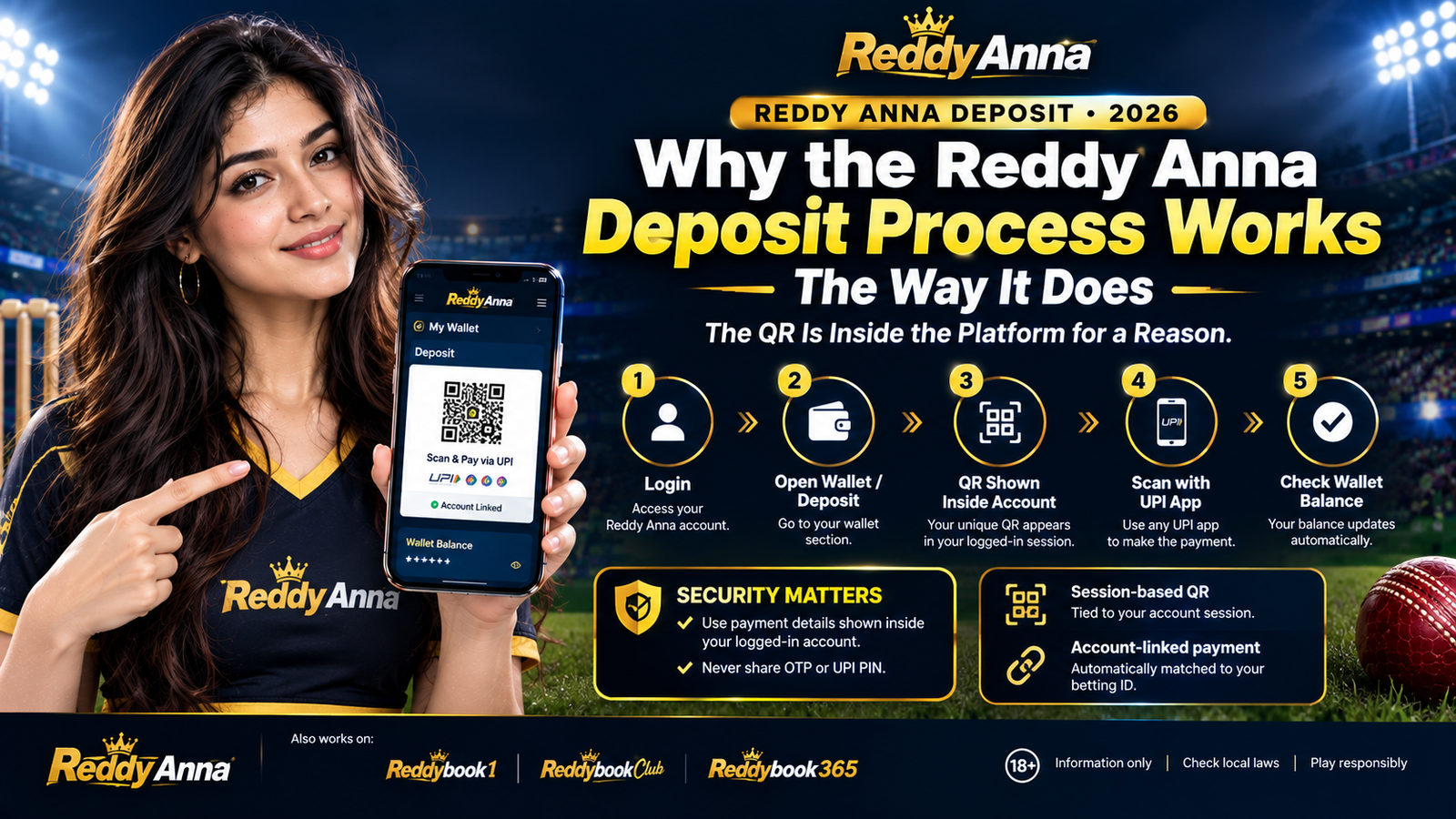
The QR Is Inside the Platform for a Reason
A lot of users wonder why the Reddyanna deposit requires logging in first before you can even see the payment QR. It feels like an extra step compared to some apps that show a deposit option before login. But there is a very specific and practical reason for this design.
The QR code that appears inside your logged-in Reddy Anna wallet is tied directly to your account session. When you scan and pay, the incoming UPI payment is automatically matched to your specific betting ID — which is why the wallet updates in seconds without any manual step from support. If the QR were publicly visible before login, this automatic matching would not be possible, and every deposit would need manual verification.
More importantly, the session-based QR design is also what keeps your money safe. Because the QR only exists inside your logged-in account, it cannot be shared by a fake support agent or a scam channel — because they do not have access to your logged-in session. The QR they might send you via WhatsApp does not connect to your Reddyanna wallet. Understanding this is the single most important thing about the Reddy Anna Book deposit system.
The same deposit system is used across all platform names in the Reddybook ecosystem — Reddybook1, Reddybook Club, and Reddybook365 all use the same inside-the-platform UPI QR approach. Same process, same speed, same safety design.
How Much to Deposit on Reddy Anna — A Practical Guide
The minimum Reddyanna deposit is Rs.100. Beyond that, how much you deposit is entirely your decision. Here is a practical breakdown of common deposit amounts and what they suit.
| Deposit Amount | What It Opens | Good For |
|---|---|---|
| Rs.100 | All betting markets active · Rs.100 wallet balance | First deposit — test the platform and deposit process before committing more |
| Rs.200–Rs.500 | All markets · enough for small stakes on 2–5 bets | New users who want to explore session markets across one or two IPL matches |
| Rs.500–Rs.1,000 | All markets · comfortable session betting across a full match | Regular match users who want to bet on all three sessions in an innings |
| Rs.1,000–Rs.5,000 | All markets · multi-match coverage with live trading positions | Users actively trading on the Reddybook exchange across multiple IPL fixtures |
| Rs.5,000+ | Full exchange access · significant back/lay positions possible | Experienced exchange bettors comfortable with position sizing and lay liability calculations |
Reddy Anna Deposit Problems — Every Common Issue With the Fix
These are the situations that come up most often during the Reddyanna deposit process. Each one has a clear and simple fix.
Wallet Not Updated After 5 Minutes
Your GPay or PhonePe showed "Payment Successful" and gave you a transaction reference number — but the Reddyanna wallet still shows the old balance after several minutes. This happens occasionally when the UPI network is under heavy load, which is most common during the 7:30 PM to 8 PM window before IPL evening matches when many deposits happen simultaneously.
Your money has not disappeared. The payment went through on the UPI side — the delay is in the credit to your wallet. This is resolved by support manually confirming the transaction against the UTR number.
GPay/PhonePe Showing Transaction Failed
Your UPI app tried to process the payment but returned a "Transaction Failed" or "Payment Declined" status. In this case, your Reddyanna wallet should not have updated — the money did not leave your bank account either (it goes back within a few hours if it was briefly held). You can try again without risking a double-payment.
Common causes: bank server timeout during peak hours, incorrect UPI PIN entered, or your daily UPI transaction limit was reached. UPI transaction limits are set by your bank, not by Reddyanna — they vary between Rs.1 lakh and Rs.5 lakh per day depending on your bank and account type.
QR Code Not Loading on the Deposit Screen
You tapped Deposit in your Reddyanna wallet but the QR code page either shows blank, shows a loading spinner that never completes, or shows an error message. This is usually a connection issue on your end — the QR is generated fresh each time you open the deposit screen, which requires an active internet connection.
Can't Log In to Start the Deposit
Login fails mean you cannot reach the Wallet section to even start the Reddy Anna deposit process. The most common causes: wrong password (autofill using an older version, caps lock on), or the login URL has changed and your bookmark points to an expired link.
Deposited to an External UPI Number — Not the Platform QR
This is the most serious deposit problem — you sent money to a UPI number or QR that someone shared via WhatsApp, Telegram, or Instagram claiming it was the "Reddyanna deposit" method. The money was not received by the platform and will not appear in your wallet. This is a scam — the money went to a fraudster, not to Reddy Anna.
Reddy Anna Deposit — Do This, Not That
A quick reference of the most important things to remember about the Reddyanna deposit process.
- Log in first, then go to Wallet → Deposit to find the official QR. Always in that order.
- Screenshot the UTR number from your GPay or PhonePe immediately after every successful payment — you may need it later.
- Wait 60 seconds after GPay confirmation before refreshing the wallet — give the automation time to process before manual refresh.
- Contact WhatsApp support with UTR number if wallet has not updated after 5 minutes. Never deposit again before resolving.
- Bookmark your login URL immediately after registration and use only that bookmark for every future Reddy Anna deposit session.
- Start with Rs.100 for your first deposit to verify the whole process works before depositing larger amounts.
- Check your UPI daily limit if a large deposit fails — it may be a bank limit issue rather than a platform issue.
- Never send money to a personal UPI number or QR shared via WhatsApp, Telegram, or Instagram — even from someone claiming to be support.
- Never deposit twice if the first one is showing pending — wait for support to confirm the first one before sending more.
- Never search Google for the Reddyanna deposit page or login URL — use only your bookmarked URL from your registration conversation.
- Never share your login credentials (ID or password) with anyone claiming to help you with a deposit — support never needs your password.
- Never use Paytm Wallet balance for deposits — only Paytm UPI (linked to bank account) works for the Reddyanna deposit process.
- Never ignore a failed transaction without noting the UTR number — without it, support cannot trace a missing deposit.
The Bigger Picture — Why the Reddy Anna Deposit System Is Built for India
UPI Was the Right Choice — And Here Is Why
When Reddy Anna Book was building its payment infrastructure, the decision to go UPI-only rather than adding international card payments was not a limitation — it was the right call for the Indian market. UPI is the most used digital payment system in India by volume. GPay alone processes hundreds of millions of transactions every day. The infrastructure is fast, the penetration across age groups and income levels is broader than credit card penetration, and most importantly, it works on a Rs.100 smartphone with 4G data in tier-2 and tier-3 cities across India — which is a large part of where the Reddy Anna user base actually is.
International platforms that serve Indian users often build payment systems that work for European or American users and then retrofit India as an afterthought. These platforms consistently have payment failures during peak IPL evening hours because their infrastructure is not designed for Indian UPI traffic patterns. The Reddyanna deposit system — being designed for India from the start — handles IPL match evening deposits more reliably than those platforms, which is the moment reliability matters most.
How Reddy Anna Deposit Connects to the Full Account Experience
A deposit on its own is just money in a wallet. What it connects to is the point. Once your Reddyanna deposit lands in your wallet, you have immediate access to the full Reddybook cricket exchange — all 10 IPL teams across 84 matches, live session markets for powerplay, middle overs and death overs updating ball by ball, match winner back and lay simultaneously, and live position trading where you can exit positions during a match and lock profit before the result.
The exchange model is specifically why the deposit is worth making compared to a sportsbook. On a sportsbook, your deposit goes into a system where every price has a house margin built in. On the Reddybook exchange — which is what your Reddy Anna Book account gives you access to — your deposit goes into a system where you trade at market prices against other users. The platform takes commission on winning positions, but does not build a margin into the odds. The result is consistently better IPL prices than any sportsbook, plus lay betting and live trading that sportsbooks simply cannot offer.
Your wallet balance carries forward between sessions and between seasons. A Reddy Anna deposit made in April during IPL is still your balance in June for international cricket, in August for EPL, and in October for bilateral series. The account does not reset. Your money does not expire. Withdrawals work the same day when your UPI name is correctly set up in Payment Settings. The full account experience — deposit, bet, withdraw — is one connected cycle that works reliably when you follow the process correctly.
Before Your First Deposit — One Thing to Set Up for Smooth Withdrawals
While you are logged in and about to make your first Reddy Anna deposit, take 60 seconds to set up your withdrawal information first. Go to Account Settings or Payment Settings and add your UPI ID — the one linked to your GPay or PhonePe account. Enter your name exactly as it appears on your GPay profile, character for character. This name matching is what the automated withdrawal system checks when you request a payout. Set it up correctly once and withdrawals process same-day automatically every time, without any manual verification step.
If you skip this step and deposit first, you can still add it after. But it is worth doing before your first bet because the moment you have winnings to withdraw, you want the withdrawal to go through immediately rather than discovering mid-cashout that your name is not set up. Five extra minutes now saves a potentially frustrating withdrawal query later.
Reddy Anna Deposit — Every Question Answered
How do I deposit on Reddy Anna?
Log in to your Reddyanna account using your bookmarked URL, go to Wallet, tap Deposit, scan the UPI QR that appears inside the platform with GPay or PhonePe, enter amount (minimum Rs.100), confirm payment. Wallet updates within 30 seconds. Full step-by-step guide above →
What is the minimum Reddyanna deposit amount?
The minimum Reddy Anna deposit is Rs.100. This is enough to activate all betting markets on your account — IPL session markets, match winner exchange, and all sports. There is no specific maximum stated — large deposits via UPI are processed normally.
How long does the Reddyanna deposit take to show in my wallet?
A Reddyanna deposit via GPay or PhonePe typically appears in the wallet within 10 to 30 seconds of payment confirmation. During peak hours (7:30–8 PM IPL evenings), it may take up to 2 minutes. If not updated after 5 minutes, message WhatsApp support with your name, betting ID, amount, and UTR number from the UPI transaction.
Can I deposit on Reddy Anna using GPay?
Yes. GPay is fully supported for Reddy Anna deposit transactions and is the most commonly used UPI app for this purpose. Log in to Reddyanna, go to Wallet → Deposit, and scan the QR that appears with GPay. If using the same phone for both, screenshot the QR first then open GPay and use the gallery upload option.
Someone sent me a QR on WhatsApp to deposit — is it real?
No. Any QR code or UPI number shared via WhatsApp, Telegram, Instagram, or any external channel claiming to be for Reddyanna deposit is a scam. The real Reddy Anna deposit QR only appears inside the logged-in platform in the Wallet section. It cannot be shared externally because it is session-specific. Never send money to an external UPI number for any platform deposit.
My wallet did not update after depositing — what should I do?
First, wait 5 minutes and do one manual page refresh. If still not updated, do not deposit again. Message WhatsApp support with: your full name, your Reddyanna betting ID, the amount deposited, and the UTR number from your GPay/PhonePe transaction screen. Support manually confirms and credits the deposit. Your money is safe — it just needs manual matching.
Is there a deposit fee on Reddy Anna?
No. The Reddy Anna deposit process has no platform-side fee. The full amount you send via UPI appears in your wallet. Your bank or UPI app may apply their own UPI transaction charges — most Indian banks charge Rs.0 for UPI transactions under a certain daily volume, but check with your specific bank if you are unsure.
Do I need to deposit on Reddy Anna every time I want to bet?
No. Your Reddyanna wallet balance carries forward indefinitely. Once you deposit, that balance stays until you use it for bets or withdraw it. You only need to top up when your wallet is running low. There is no session fee, no monthly maintenance charge, and your balance does not expire between IPL seasons or between matches. Reddy Anna Book full guide →
18+ Only — Only Deposit What You Can Afford to Lose
Depositing on Reddy Anna puts real money into a betting account. Never deposit under pressure, never chase losses with another deposit, and never put in money that you need for essential expenses. Vandrevala Foundation helpline: 1860-2662-345 — free, confidential, 24 hours.
Ready to Make Your First Reddy Anna Deposit?
Do not have a Reddy Anna account yet? Get one free through WhatsApp with OTP verification in under 2 minutes. Then follow the step-by-step deposit guide above — Wallet → Deposit → scan QR inside the platform → Rs.100 via GPay. Wallet updates in seconds. All IPL session markets, exchange back and lay, and everything on the platform opens immediately. 18+ only. Zero platform fee.